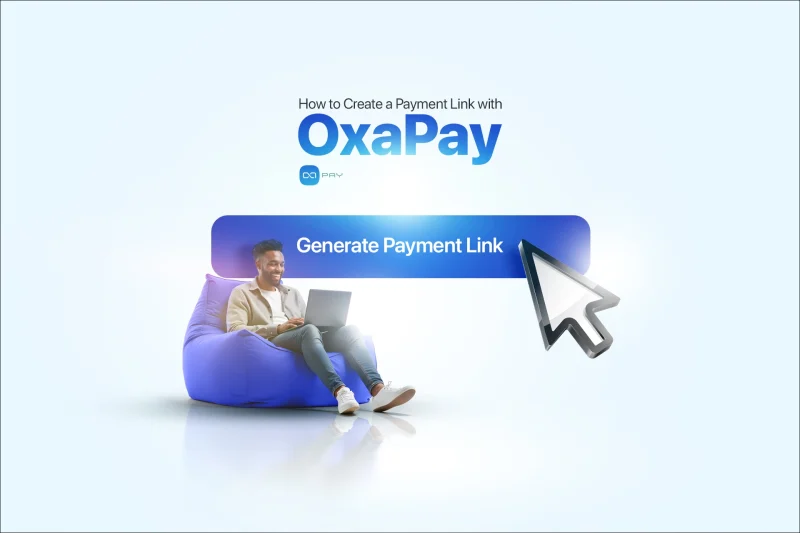
بیشتر کسبوکارها وقتی تازه پذیرش رمزارز را شروع میکنند، به یک سیستم کامل پرداخت نیاز ندارند؛ فقط یک راه ساده و قابلاعتماد میخواهند تا بگویند «اینجا پرداخت کنید». دقیقاً همینجاست که Payment Link کاربردی میشود. اگر میخواهید بدون ساخت فرایند checkout یا صدور یک فاکتور رسمی، لینک پرداخت ایجاد کنید، این روش اغلب سریعترین و تمیزترین گزینه است. Payment Link به شما امکان میدهد هزینههای ثابت دریافت کنید، خدمات ساده بفروشید یا درخواستهای پرداخت قابلاستفاده مجدد را به اشتراک بگذارید و در عین حال فرایند را برای خودتان و مشتریان روشن، ساختاریافته و آسان نگه دارید.
این راهنما روی مراحل عملی در OxaPay Payment Linkتمرکز دارد و تنظیماتی را برجسته میکند که مستقیماً بر موفقیت پرداخت و تجربه کاربر اثر میگذارند.
پیش از شروع به چه چیزهایی نیاز دارید
فقط به این موارد نیاز دارید:
- یک حساب فعال OxaPay
- دسترسی به داشبورد OxaPay
- تصمیم روشن درباره اینکه مشتری باید مبلغی ثابت بپردازد یا خودش مبلغ را انتخاب کند
قبل از ساخت لینک، مشخص کنید این پرداخت دقیقاً برای چیست.
یک محصول یکباره، یک خدمت دورهای یا یک درخواست پرداخت عمومی.
این انتخاب روی نحوه تعیین مبلغ، توضیحات و روش استفاده مجدد از لینک اثر میگذارد.
مرحله ۱: حساب OxaPay خود را ایجاد کنید یا وارد آن شوید
اگر از قبل حساب OxaPay دارید، وارد شوید و به داشبورد بروید.
اگر هنوز حساب ندارید:
- به OxaPay بروید و ثبتنام کنید
- ایمیل خود را تأیید کنید
- وارد داشبورد شوید
در این مرحله کار را ساده نگه دارید. هدف شما فقط این است که به داشبورد برسید و بخش Payment Links را باز کنید.
مرحله ۲: بخش Payment Links را باز کنید
در داشبورد، مستقیماً به بخش Payment Links.
اینجا میتوانید لینکهای جدید بسازید و لینکهای موجود را مدیریت کنید.
مرحله ۳: یک Payment Link جدید ایجاد کنید
روی Create Payment Link (یا گزینه معادل آن در صفحه Payment Links) کلیک کنید. حالا میتوانید لینک را پیکربندی کنید.
- مشتری چه چیزی میبیند
- از چه ارزهایی میتواند استفاده کند
- مبلغ پرداخت تا چه حد سختگیرانه اعمال میشود
- چه کسی کارمزد شبکه و پردازش را میپردازد
این روش بهویژه برای کسبوکارهایی مفید است که بدون وبسایت پرداخت رمزارزی میپذیرندو از یک لینک پرداخت ساده و قابلاستفاده مجدد استفاده میکنند.
یک نام واضح برای لینک تعیین کنید
نامی انتخاب کنید که بعداً بتوانید لینک را در داشبورد بهراحتی شناسایی کنید.
بهترین روش:
از یک قالب ساختاریافته مانند نام محصول یا خدمت + قیمت + دوره استفاده کنید
مثالها:
- SEO Audit 150
- Monthly Retainer 1
- Donation Campaign February
این موضوع زمانی اهمیت بیشتری پیدا میکند که عملکرد را بررسی میکنید، پرداختها را ردیابی میکنید یا بعداً تراکنشها را تطبیق میدهید.
منطق مبلغ و ارز را تنظیم کنید
تصمیم بگیرید مشتری چگونه باید پرداخت کند.
بیشتر کسبوکارها از یکی از این الگوها استفاده میکنند:
- قیمت ثابت برای یک محصول یا خدمت مشخص
- قیمت پیشنهادی با امکان انعطاف برای انعام یا سفارشهای متغیر
- سناریوهای ساده «هرچقدر میخواهید بپردازید» که معمولاً بهتر است از ابزارهای Donationاستفاده کنند، نه Payment Links
اگر این Payment Link برای یک محصول یا خدمت مشخص است، مبلغ را ثابت نگه دارید. قیمت ثابت تردید مشتری را کاهش میدهد و تعداد درخواستهای پشتیبانی درباره «چقدر باید پرداخت کنم؟» را کمتر میکند.
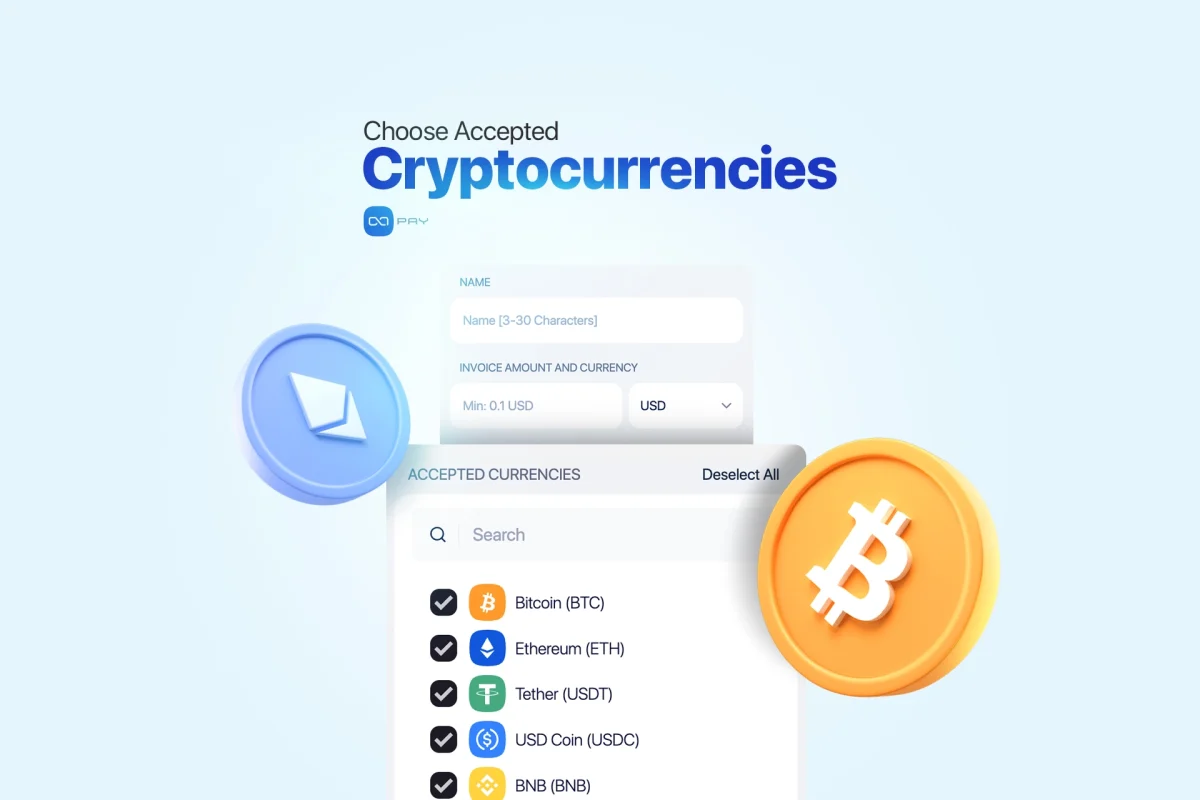
رمزارزهای قابلقبول را انتخاب کنید
ارزهایی را که میخواهید بپذیرید انتخاب کنید.
بهترین روش برای افزایش نرخ تکمیل پرداخت:
- داراییهایی را ارائه کنید که مشتریان واقعاً در اختیار دارند، بهخصوص ارزهای رایج و استیبلکوینها
- اگر فرایند پشتیبانی شما برای موارد خاص، بهویژه مسائل مربوط به شبکهها و استانداردهای توکن آماده نیست، همه ارزها را انتخاب نکنید
گزینههای بیشتر همیشه نرخ تبدیل را بهتر نمیکنند. انتخابهای بیش از حد میتوانند تصمیمگیری را کند کنند و در مرحله پرداخت باعث سردرگمی شوند.
اگر مخاطبان شما جهانی هستند، استیبلکوینها معمولاً مشکلاتی مانند «قیمت هنگام پرداخت تغییر کرد» را کاهش میدهند.
اگر مخاطبان شما کاربران حرفهای رمزارز هستند، ارائه شبکههای رایجی که استفاده میکنند مهمتر از فهرست کردن دهها گزینه است.
Underpaid Cover را تنظیم کنید
پوشش کمپرداختی یکی از مهمترین تنظیمات برای موفقیت پرداختهای واقعی است، زیرا کمپرداختی در پرداختهای رمزارزی رایج است.
چرا کمپرداختی رخ میدهد:
- مشتری برای پوشش کارمزد کیف پول کمی کمتر ارسال میکند
- مشتری مبلغ را گرد میکند
- کارمزد شبکه یا رفتار کیف پول روی مبلغ نهایی اثر میگذارد
- مشتری سریع پرداخت میکند در حالی که نرخ یا مرجع تبدیل در حال تغییر است
این تنظیم چه کاری انجام میدهد:
اگر مشتری کمی کمتر از مبلغ درخواستی بپردازد، OxaPay تا زمانی که کسری مبلغ در محدوده تحمل تعیینشده شما باشد، همچنان میتواند پرداخت را پذیرفتهشده علامتگذاری کند.
نحوه تنظیم حرفهای:
- تحمل پایین برای کالاهای با قیمت ثابت که باید کامل پرداخت شوند مناسب است
- تحمل متوسط میتواند پرداختهای ناموفق برای خدمات و کالاهای دیجیتال را کاهش دهد
- تحمل بالا باید با احتیاط استفاده شود، زیرا ممکن است کمپرداختی قابلتوجه را بپذیرد
محدوده تحمل شما باید با حاشیه سود و سیاست انجام سفارش هماهنگ باشد.
پذیرش کمپرداختی کوچک ممکن است برای خدمات مسئلهای ایجاد نکند، اما برای کالاهای فیزیکی با حاشیه سود پایین ریسکزا باشد.
راهنمای عملی:
برای بیشتر کاربردها با یک تحمل کوچک شروع کنید و فقط زمانی آن را افزایش دهید که در تاریخچه پرداختها موارد «تقریباً پرداختشده» زیاد میبینید. هدف این است که از شکستهای قابلاجتناب جلوگیری کنید، بدون اینکه کمپرداختی واقعی را بیصدا بپذیرید.
انتخاب کنید چه کسی کارمزد را بپردازد
OxaPay به شما اجازه میدهد انتخاب کنید کارمزد را چه کسی پرداخت کند:
- شما (فروشنده)
- پرداختکننده (مشتری)
این تصمیم مستقیماً بر تعادل میان نرخ تبدیل و حاشیه سود اثر دارد. یک انتخاب واحد که برای همه بهترین باشد وجود ندارد.
اگر درآمد خالص قابلپیشبینی میخواهید:
اجازه دهید پرداختکننده کارمزد را بپردازد، اما مطمئن شوید این موضوع بهروشنی بیان شده است.
اگر سادهترین تجربه ممکن را برای مشتری میخواهید:
میتوانید خودتان کارمزد را پوشش دهید.
یک توضیح دقیق اضافه کنید
توضیحات صرفاً تزئینی نیستند. توضیح مناسب اختلافات را کاهش میدهد و از پرداخت اشتباه جلوگیری میکند.
توضیحات شما باید شامل این موارد باشد:
- مشتری بابت چه چیزی پرداخت میکند
- چه چیزهایی شامل میشود و چه چیزهایی نمیشود
- در صورت مرتبط بودن، زمان مورد انتظار برای تحویل
- هر شناسهای مانند شماره سفارش، مرجع فاکتور یا نام کاربری، اگر برای تطبیق پرداخت نیاز دارید
نمونه سبک نوشتن:
پرداخت برای خدمت X، شامل خروجیهای مشخصشده، تحویل ظرف X روز کاری.
وقتی توضیحات روشن باشد، احتمال درخواستهای پشتیبانی مانند «پرداخت کردم، حالا چه میشود؟» کمتر میشود.
لینک را ایجاد کنید
پس از وارد کردن جزئیات، روی Create Payment Link کلیک کنید.
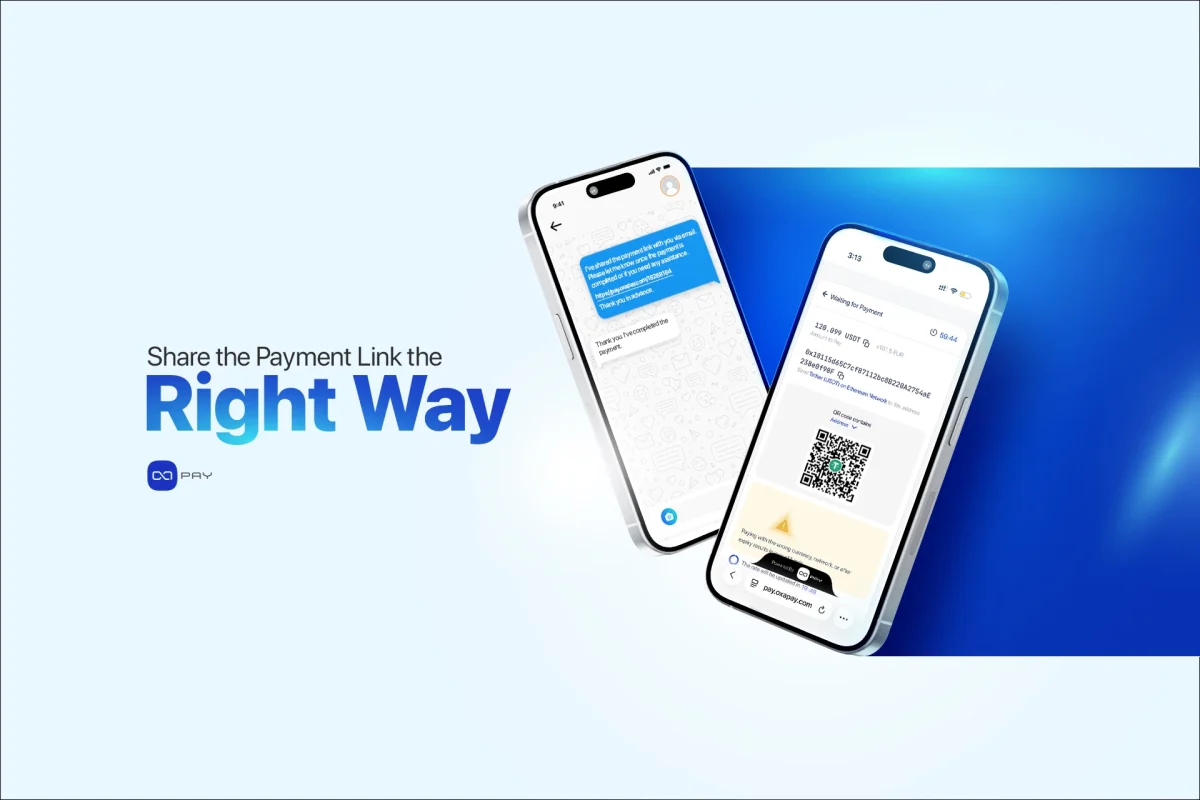
لینک شما بلافاصله فعال میشود. آن را کپی کنید و در محلی نگه دارید که تیم شما درخواستهای پرداخت را از آنجا ارسال میکند.
URL مستقیم
از لینک مستقیم برای این موارد استفاده کنید:
- فاکتورهای ایمیلی و مکالمات با مشتری
- تیکتهای پشتیبانی
- پیامهای خصوصی شبکههای اجتماعی
- اپلیکیشنهای پیامرسان
کد QR
وقتی پرداخت با موبایل یا حضوری انجام میشود از QR استفاده کنید:
- فروشگاههای فیزیکی
- رویدادها
- checkout روی صفحه یک تبلت
- محتوای چاپی
اگر برای پرداخت از QR استفاده میکنید، آن را با چند کیف پول مختلف آزمایش کنید. رفتار اسکن در اپلیکیشنها میتواند متفاوت باشد.
مرحله ۵: پرداختها را پایش و لینکها را مدیریت کنید
وقتی Payment Link فعال شد، کیفیت عملیات شما به پایش وابسته است.
برای حفظ کنترل، از این بخشهای داشبورد استفاده کنید:
- خلاصه پرداخت
- آمار
- مدیریت لینک
در OxaPay بهتر است Payment Linkها را بهعنوان تنظیمات ثابت در نظر بگیرید.
اگر قیمت یا شرایط شما تغییر کرد، ساخت یک لینک جدید فرایندی امنتر و تمیزتر است.
چه زمانی از Payment Link و چه زمانی از Invoice استفاده کنیم
ساده نگهش دارید.
از Payment Link استفاده کنید وقتی:
• یک لینک سریع و قابلاستفاده مجدد میخواهید
• پرداخت ساده و مستقیم است
• درخواست پرداخت را از طریق چت یا ایمیل ارسال میکنید
از Invoice استفاده کنید وقتی:
• به سوابق رسمی صورتحساب نیاز دارید
• به جزئیات ریز اقلام نیاز دارید
• پرداختهای ساختاریافته B2B را مدیریت میکنید
انتخاب ابزار اشتباه اغلب به پیچیدگی غیرضروری یا از دست رفتن دادههای لازم منجر میشود.
اشتباهات رایج هنگام استفاده از Payment Links
- استفاده از توضیحات نامشخص
- فعال کردن ارزهای بیش از حد بدون آمادگی پشتیبانی
- تنظیم تحمل کمپرداختی در سطح بیش از حد بالا
- استفاده مجدد از یک لینک برای قیمتهای متفاوت
- آزمایش نکردن فرایند پرداخت پیش از اشتراکگذاری
نتیجهگیری
OxaPay Payment Links راهی ساده و انعطافپذیر برای پذیرش پرداخت رمزارزی فراهم میکنند، بدون اینکه پیچیدگی غیرضروری به فرایند کاری شما اضافه شود. اگر درست استفاده شوند، به ایجاد تجربه پرداختی روشن و قابلاعتماد برای کسبوکار و مشتری کمک میکنند. با ساختار مناسب و انتظارات شفاف، Payment Linkهای OxaPay میتوانند از عملیات روزانه پشتیبانی کنند، هماهنگی را بهتر کنند و همزمان با افزایش حجم پرداخت بهشکل طبیعی مقیاسپذیر شوند.