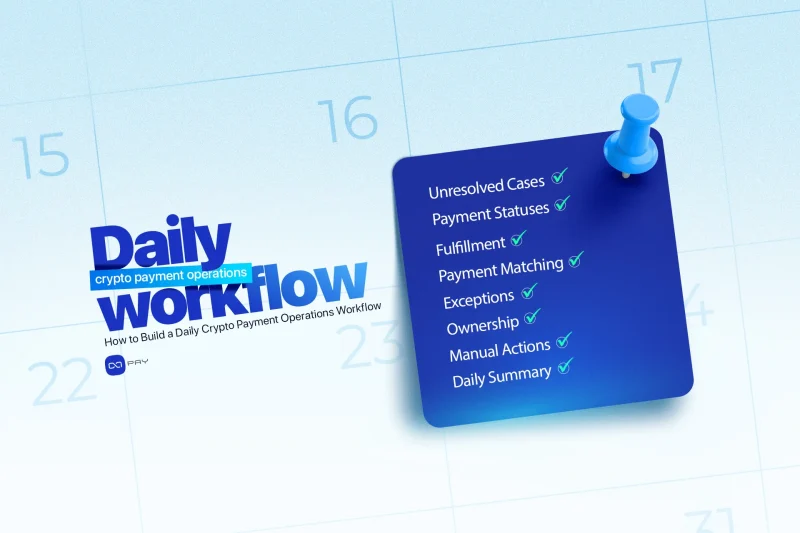
Kripto ödemeler yalnızca bir müşteri sorun bildirdiğinde yönetilmemelidir. Satıcıların ödeme faaliyetlerini kontrol etmek, çözümlenmemiş vakaları bulmak, sorumluluk atamak ve kabul edilen ödemelerin doğru iş sonucunu ürettiğini doğrulamak için tekrarlanabilir bir günlük iş akışına ihtiyacı vardır. İyi tasarlanmış bir kripto ödeme operasyonları iş akışı, normal ödemelerin otomatik ilerlemesini sağlarken istisnaları müşterileri, teslimatı veya finansal kayıtları etkilemeden önce doğru ekibe yönlendirir.
Günlük Ödeme İş Akışı Ne Sağlamalıdır?
Günlük bir iş akışı işletmeye dört soruya net yanıt vermelidir:
- Hangi ödemeler normal şekilde tamamlandı?
- Hangi ödemeler hâlâ işlem gerektiriyor?
- Her çözümlenmemiş vakanın sahibi kim?
- Günün ödeme faaliyeti ödeme talebinden iş sonucuna kadar açıklanabiliyor mu?
İş akışı gerçek zamanlı ödeme güncellemelerinin yerine geçmez. Normal ödemeler gerçekleştiği anda sistem içinde ilerlemeye devam etmelidir. Günlük inceleme, otomasyonun tamamlayamadığı vakaları, artık birbiriyle uyuşmayan kayıtları ve fazla uzun süredir açık kalan sorunları bulan bir kontrol katmanıdır.
İş akışını oluşturmadan önce ekip, Kripto Ödeme Operasyonları: Günlük Kontroller, Sorumluluk ve İstisnalariçinde açıklanan daha geniş işletim modelini anlamalıdır. Bu makale sorumlulukları ve kontrolleri tanımlar; bu yazı ise bunları tekrarlanabilir bir günlük sürece dönüştürür.
Başlamadan Önce: Çalışma Kaydını Tanımlayın
Destek, Finans ve Operasyon ekipleri farklı bilgilere bakıyorsa güvenilir bir ödeme incelemesi yürütülemez.
Her ödemenin, ödeme sağlayıcısının referansını satıcının kendi iş referansına bağlayan bir çalışma kaydı olmalıdır. İşletmeye göre bu bir sipariş, fatura, abonelik, rezervasyon, müşteri hesabı veya hizmet sözleşmesi olabilir.
Günlük görünüm en az şunları içermelidir:
- dahili sipariş veya müşteri referansı
- ödeme sağlayıcısı referansı
- beklenen ve alınan tutarlar
- ödeme varlığı ve blokzincir ağı
- mevcut ödeme durumu
- teslimat veya hesap durumu
- atanmış sorumlu
- varsa açık istisna
- son güncelleme ve sonraki işlem.
OxaPay, satıcıların fatura oluştururken kendi order_id değerini eklemesine izin verir ve ödeme oturumunu tanımlayan bir track_id döndürür. Payment Information endpoint daha sonra bu track_id.
Bu kaydın amacı operasyonel netliktir. Bir ekip üyesi, ilgisiz panellerde, ekran görüntülerinde veya müşteri mesajlarında arama yapmadan ödemenin neye ait olduğunu ve bir sonraki adımın ne olduğunu anlayabilmelidir.
Günlük Kripto Ödeme Operasyonları İş Akışı Nasıl Yürütülür
Adım 1: Önceki Günden Kalan Çözümlenmemiş Vakalarla Başlayın
İlk inceleme zaten açık olan vakalara odaklanmalıdır.
Yalnızca yeni ödemelerle başlamak, eski istisnaların yeni faaliyetlerin altında kaybolmasına neden olabilir. Bu nedenle her çözümlenmemiş vaka belgelenmiş bir sonuca ulaşana kadar devredilmelidir.
Şu tür vakaları inceleyin:
- ödeme yaptığı halde ürün veya hizmeti almayan müşteriler
- bir siparişle eşleştirilemeyen ödemeler
- karar bekleyen eksik veya geç ödenmiş faturalar
- tamamlanmamış iadeler
- başka bir ekibi bekleyen ödemeler
- sorumlusu veya sonraki adımı olmayan kayıtlar.
Önceliği yalnızca oluşturulma zamanına göre değil, müşteri ve finansal etkisine göre belirleyin. Ödeme yaptığı halde hiçbir şey almayan bir müşteri, genellikle müşteriyi hemen etkilemeyen dahili bir raporlama farkından daha hızlı işlem gerektirir.
Bu aşamada her vakanın şunlara sahip olduğunu doğrulayın:
- tek bir sorumlu sahibi
- belirli bir sonraki işlem
- yanıt veya çözüm süresi
- incelemeye devam etmek için yeterli kanıt.
Sahibi olmayan bir istisna yönetilmiyordur; yalnızca gözlemleniyordur.
Adım 2: Yeni ve Devam Eden Ödemeleri İnceleyin
Ardından kripto ödeme iş akışı, önceki operasyonel kontrolden bu yana oluşturulan tüm ödeme faaliyetlerini incelemelidir.
Amaç her başarılı işlemi manuel olarak incelemek değildir. Beklenenden uzun süre tamamlanmamış durumda kalan veya iş kararı gerektiren bir duruma geçen ödemeleri belirlemektir.
OxaPay şu gibi ödeme durumlarını belgeler: new, waiting, paying, paid, manual_accept, underpaid, refunding, refundedve expired. Satıcılar bu ayrıntılı sağlayıcı durumlarını açık, devam ediyor, tamamlandı, istisna ve iade gibi daha basit dahili kategoriler altında gruplayabilir. Güncel OxaPay Ödeme Durumu Tablosu bu durumları tanımlar.
İnceleme sırasında şunları arayın:
- normal müşteri ödeme süresi geçmesine rağmen hâlâ bekleyen ödemeler
- beklenenden uzun süredir devam eden ödemeler
- eksik ödenmiş veya süresi dolmuş faturalar
- henüz tamamlanmamış iadeler
- dahili dokümantasyon gerektiren manuel kabuller
- bir durumdan diğerine olağan dışı geçişler.
Her tamamlanmamış ödemeyi olay olarak değerlendirmeyin. Bazı müşteriler ödeme sürecini terk eder, bazı blokzincir işlemleri daha uzun sürer ve bazı faturalar ödeme yapılmadan sona erer. İş akışı, beklenen tamamlanmamışlık ile müdahale gerektiren vakaları ayırmalıdır.
Adım 3: Ödenmiş ancak Teslim Edilmemiş Siparişleri Bulun
Bu, en önemli günlük kontrollerden biridir.
Bir ödeme kabul edilmiş duruma ulaşırken ilgili sipariş, abonelik, bakiye veya hizmet hâlâ beklemede kalabilir. Ödeme sistemi açısından ödeme tamamlanmış olabilir; müşteri açısından ise işletme yükümlülüğünü henüz yerine getirmemiştir.
Şunları belirleyen bir görünüm oluşturun:
- ödenmiş ancak hâlâ beklemede işaretli siparişler
- ödenmiş ancak etkinleştirilmemiş veya yenilenmemiş abonelikler
- ödenmiş ancak hesaba yansıtılmamış hesap yatırımları
- ödenmiş ancak teslim edilmemiş dijital ürünler
- ödenmiş ancak sorumlu ekibe aktarılmamış hizmet faturaları.
Her vaka önce mükerrer teslimat riski açısından kontrol edilmelidir. Ekip, manuel düzeltme başlatmadan önce ürünün veya erişimin başka bir süreç üzerinden zaten teslim edilmediğini doğrulamalıdır.
Sonraki soru, sorunun tekil mi yoksa tekrarlanan bir sorun mu olduğudur. Tek bir başarısız sipariş doğrudan operasyonel düzeltme gerektirebilir. Birkaç benzer hata ise Engineering ekibine iletilmesi gereken daha geniş bir entegrasyon, teslimat veya yapılandırma sorununa işaret edebilir.
On-chain işlem ile tamamlanmış ticari ödeme arasındaki iş düzeyindeki fark daha ayrıntılı olarak Blokzincir Ödemeleri: Ağ İşleminden İş Ödemesine.
Adım 4: Ödeme-Sipariş Eşleştirmesini Kontrol Edin
Kabul edilen her ödeme doğru iş kaydına bağlanmalıdır.
Günlük iş akışı şunları belirlemelidir:
- sipariş veya müşteri referansı olmayan ödemeler
- destekleyici bir ödeme olmadan ödenmiş işaretlenen siparişler
- aynı siparişe bağlı birden fazla ödeme
- birden fazla kayda bağlı tek bir ödeme
- beklenen ve alınan tutarlar arasındaki farklar
- eksik veya yanlış varlık ve ağ bilgileri.
İlk eşleştirme yöntemi, checkout sırasında oluşturulan satıcının sipariş ID'si ve sağlayıcının ödeme ID'si gibi tanımlayıcıları kullanmalıdır. Tutar, zaman damgası, adres, müşteri e-postası ve transaction hash bir incelemeyi destekleyebilir ancak özellikle o ödeme için oluşturulmuş bir referanstan daha zayıftır.
Belirsiz bir ödemeyi sessizce en olası siparişe bağlamayın. Kanıt eksikse bir istisna oluşturun ve karar sürecini kaydedin.
Bu serinin sonraki bir makalesi olan Siparişler, Track ID'ler ve Blokzincir İşlemleri Nasıl Eşleştirilir, eşleştirme sürecini daha ayrıntılı ele alacaktır.
Adım 5: İstisna Kuyruğunu Oluşturun ve Önceliklendirin
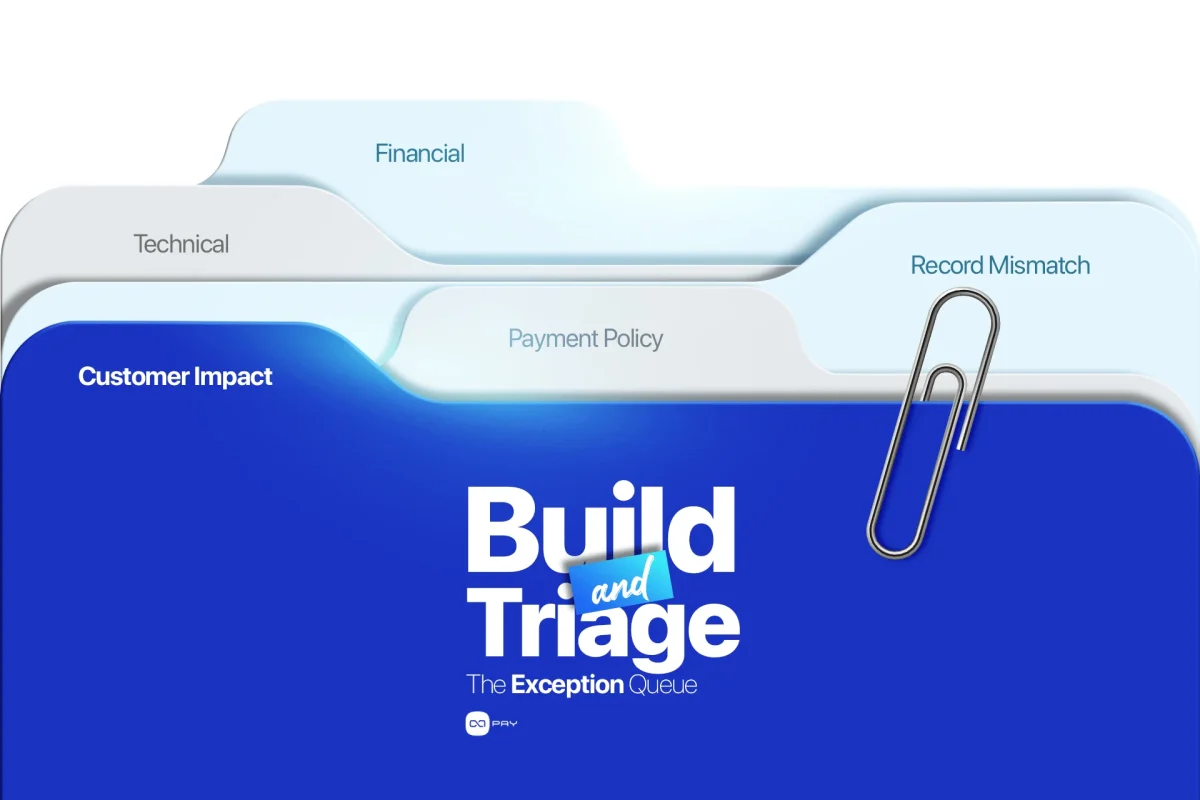
İlk incelemelerden sonra her çözümlenmemiş vaka tek bir ortak istisna kuyruğuna girmelidir. Bu kuyruk etkili bir kripto ödeme iş akışının merkezî parçasıdır. Düşük hacimde basit olabilir ancak yine de tutarlı kategoriler kullanmalıdır. Pratik bir yapı şunları içerebilir:
- Müşteri etkili: ödenmiş ancak teslim edilmemiş, eksik ödeme, başarısız iade.
- Ödeme politikası: eksik ödeme, geç ödeme, desteklenmeyen ödeme yolu.
- Kayıt uyuşmazlığı: ödeme ve sipariş bilgileri uyuşmuyor.
- Teknik: durum güncellemesi veya otomatik işlem tamamlanmadı.
- Finansal: ücret, bakiye, iade veya settlement kaydı inceleme gerektiriyor.
Kuyruktaki her öğe sorunu, müşteri etkisini, mevcut kanıtı, sorumluyu, sonraki işlemi, son tarihi ve nihai sonucu göstermelidir.
OxaPay eksik ödeme ve süresi dolmuş ödeme durumlarını gösterir ve eksik ödeme kapsamı ile mixed payments gibi kontrolleri destekler. Satıcılar benzer her vaka için farklı karar vermek yerine bu seçenekleri tutarlı bir politikaya dahil etmelidir. İlgili senaryolar OxaPay Eksik Ödenmiş ve Süresi Dolmuş Faturaları Nasıl Yönetir.
Kuyruk yalnızca gün sonu kapanışında değil, gün içinde en az bir kez incelenmelidir. Müşteri açısından kritik vakalar hemen yönlendirilmelidir.
Adım 6: Doğru Ekibi Atayın
Payment Operations kuyruğu koordine etmelidir ancak her vakayı bizzat çözmemelidir.
Basit yönlendirme kuralları kullanın:
| Sorun | Birincil sorumlu |
|---|---|
| Müşterinin güncelleme alması veya bilgi sağlaması gerekiyor | Müşteri Desteği |
| Ödeme durumu ve sipariş kaydı uyuşmuyor | Payment Operations |
| Otomatik güncelleme veya teslimat başarısız oldu | Engineering |
| İade, ücret, bakiye veya settlement inceleme gerektiriyor | Finance veya Treasury |
| Şüpheli callback, erişim veya bakiye faaliyeti | Security veya Risk |
| Eksik ödeme veya geç ödeme hakkında politika kararı | Payment Operations veya yetkili yönetici |
Support bilgi toplamalı ve müşteriyle açık iletişim kurmalıdır. Engineering sistem davranışını incelemelidir. Finance finansal işlemi çözmelidir. Payment Operations vakanın bu ekipler arasında takılı kalmamasını sağlamalıdır.
Her escalation için alıcı ekibin tam olarak neye ihtiyacı olduğunu tanımlayın. Engineering ekibine yalnızca “payment not working” yazmak, gerçek inceleme başlamadan önce başka bir inceleme yaratır.
Yararlı bir escalation şunları içermelidir:
- sipariş ve ödeme referansları
- mevcut ve beklenen durumlar
- müşteri etkisi
- ilgili zaman damgaları
- zaten yapılan işlemler
- karar gerektiren belirli soru.
Adım 7: İadeleri ve Manuel Kararları Doğrulayın
Manuel işlemler, normal otomatik yolun dışında gerçekleşebildiği için en yüksek operasyonel risklerden bazılarını oluşturur.
Şunları içeren tüm vakaları inceleyin:
- manuel kabul edilen ödemeler
- başlatılmış veya tamamlanmış iadeler
- manuel bağlanmış veya düzeltilmiş ödeme kayıtları
- manuel tamamlanan teslimat
- bir çalışan tarafından ayarlanan müşteri bakiyeleri
- yönetim onayıyla kapatılan istisnalar.
İnceleme, kararın yetkili olduğunu ve ilgili tüm kayıtların sonucu yansıttığını doğrulamalıdır.
Bir iade yalnızca fonlar gönderildiği için operasyonel olarak tamamlanmış sayılmaz. Sipariş durumu, müşteri iletişimi, ödeme kaydı ve finansal kayıt da iadeyi yansıtmalıdır.
Aynı şekilde manuel kabul edilen bir eksik ödeme daha sonra açıklanamayan bir fark olarak görünmemelidir. Kabul nedeni vakaya bağlı kalmalıdır.
Bu OWASP Logging Cheat Sheet , operasyonel izleme, audit trail ve olay incelemesini destekleyen uygulama düzeyinde loglama önerir. Bu nedenle önemli ödeme override'ları ve yönetim işlemleri, kimin ne zaman ve neden işlem yaptığını gösteren kalıcı bir kayıt bırakmalıdır.
Adım 8: Günü Ödeme Operasyonları Özetiyle Kapatın
Günlük kapanış, bazı vakalar açık kalsa bile ekibin günün ödeme faaliyetlerini anladığını doğrulamalıdır.
Yararlı bir kapanış özeti şunları içerir:
- kabul edilen ödemelerin sayısı ve değeri
- hâlâ teslimat bekleyen kabul edilmiş ödemeler
- oluşturulan yeni istisnalar
- çözülen istisnalar
- çözümlenmemiş müşteri açısından kritik vakalar
- eşleştirilmemiş ödemeler
- başlatılan ve tamamlanan iadeler
- en eski çözümlenmemiş vaka
- başka bir ekibi bekleyen vakalar
- yönetimin dikkatini gerektiren önemli sorunlar.
Amaç her ödemeyi gün sonuna kadar zorla kapalı duruma getirmek değildir. Bazı vakalar haklı olarak müşteri bilgisi, blokzincir ilerlemesi, iadenin tamamlanması veya teknik inceleme gerektirir.
Amaç hiçbir önemli vakanın görünmez, sahipsiz veya açıklanamamış kalmamasını sağlamaktır.
OxaPay’in Payment History endpoint , hesap ödemelerini alabilir ve zaman aralığı, durum, tutar, ödeme türü, ödeme para birimi ve ağ gibi kriterlere göre filtreleyebilir. Bu, satıcılara günlük inceleme, raporlama ve doğrulama için pratik bir kaynak sağlar.
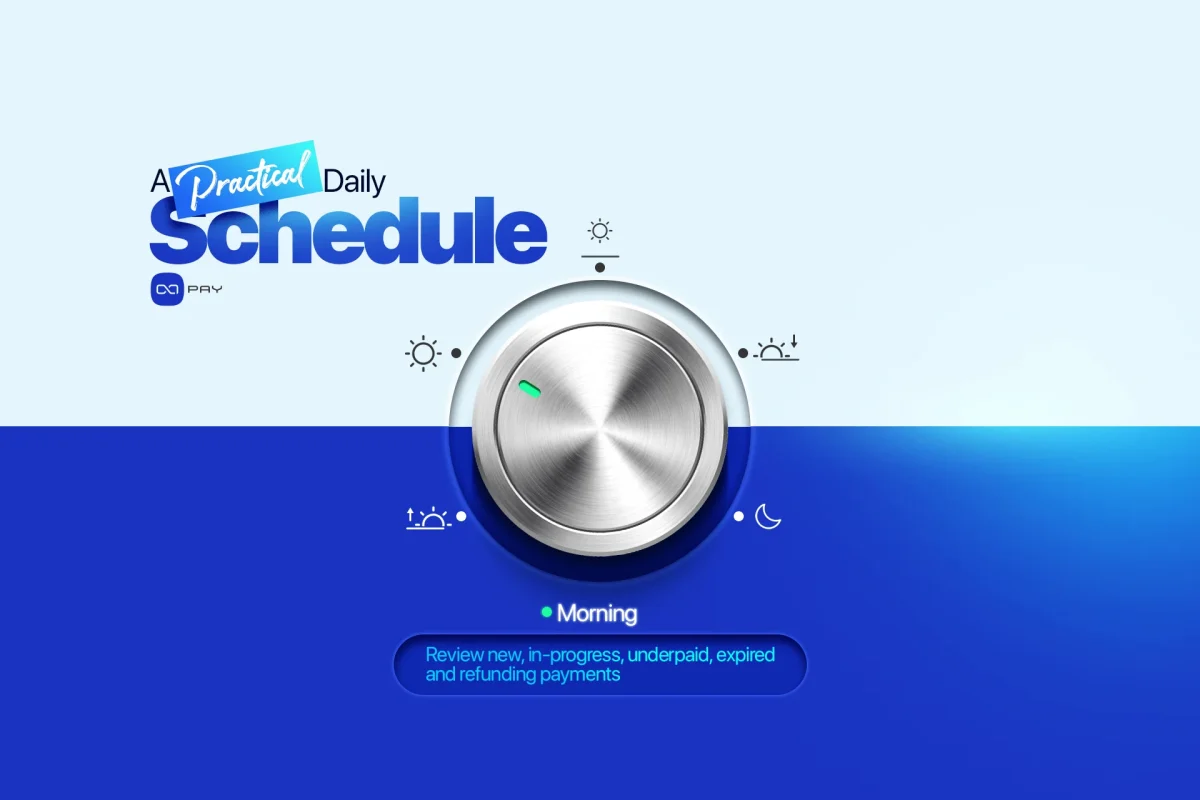
Pratik Bir Günlük Program
Kesin zamanlama ödeme hacmine ve müşteri beklentilerine bağlıdır ancak basit bir operasyon programı şöyle olabilir:
| Zaman | İnceleme |
|---|---|
| Gün başlangıcı | Çözümlenmemiş vakaları devredin ve acil müşteri etkisini belirleyin |
| Sabah | Yeni, devam eden, eksik ödenmiş, süresi dolmuş ve iade sürecindeki ödemeleri inceleyin |
| Öğle | Ödenmiş ancak teslim edilmemiş siparişleri kontrol edin ve yeni istisnaları önceliklendirin |
| Öğleden sonra | Support, Engineering ve Finance sorumlularıyla takip yapın |
| Gün sonu | Manuel işlemleri doğrulayın, çözümlenmemiş vakaları inceleyin ve günlük özeti yayınlayın |
Yüksek hacimli işletmeler bu kontrolleri sürekli veya saatte birkaç kez çalıştırabilir. Daha küçük satıcılar aynı iş akışını tek bir yapılandırılmış günlük incelemede tamamlayabilir.
Süreç organizasyonel karmaşıklığa değil, risk ve hacme göre ölçeklenmelidir.
Zaman İçinde Takip Edilecek Metrikler
Günlük bir iş akışı yalnızca tekil kayıtları kapatmak yerine eğilimler ürettiğinde daha faydalı hâle gelir.
Küçük bir operasyonel metrik setini takip edin:
- istisna oranı
- ödenmiş ancak teslim edilmemiş vaka sayısı
- eşleştirilememiş ödeme oranı
- ortalama istisna çözüm süresi
- en eski çözümlenmemiş vaka
- manuel işlem oranı
- iade tamamlama süresi
- kategoriye göre tekrarlayan istisnalar.
Bu metrikler rastgele vakalar ile kalıcı süreç sorunlarını ayırt etmeye yardımcı olur.
Örneğin, tekrarlayan eksik ödemeler kafa karıştırıcı ödeme talimatlarına işaret edebilir. Tekrarlayan eşleştirilememiş işlemler zayıf referanslara işaret edebilir. Ödenmiş ancak teslim edilmemiş vakaların artması bir fulfillment sorununu gösterebilir. İş akışı yalnızca istisnaları çözmemeli, onların nedenlerini de azaltmalıdır.
Yaygın İş Akışı Hataları
Yalnızca Başarısız Ödemeleri İncelemek
Tamamlanmış ödemeler bile fulfillment, sipariş veya finansal kayıtlar güncellenmezse operasyonel sorun yaratabilir.
Her Ekibin Kendi Listesini Tutmasına İzin Vermek
Ayrı listeler tekrar iş, bağlam kaybı ve belirsiz sorumluluk yaratır. Tek bir ortak istisna görünümü kullanın.
Support Vakalarını Çok Erken Kapatmak
Müşteriye yanıt vermek operasyonel ve finansal kayıtların doğru olduğunu kanıtlamaz.
Tüm İstisnaları Aynı Derecede Acil Görmek
Vakaları müşteri etkisi, finansal risk, yaş ve daha geniş sistem arızası olasılığına göre önceliklendirin.
Tekrarlayan Sorunları Tek Tek Çözmek
Tekrarlayan istisnalar politika, ürün, entegrasyon veya iletişim iyileştirmesi tetiklemelidir.
İş Akışını Çok Hızlı Genişletmek
Müşterileri ve ödeme kayıtlarını koruyan bir kripto ödeme iş akışıyla başlayın. Yalnızca ödeme hacmi ve gerçek kanıt gerektirdiğinde karmaşıklık ekleyin.
OxaPay İş Akışını Nasıl Destekler
OxaPay, satıcıların yapılandırılmış bir günlük süreci desteklemek için ihtiyaç duyduğu ödeme kayıtlarını ve durum görünürlüğünü sağlar.
Satıcılar dahili bir order_id kullanarak fatura oluşturabilir, ödeme ilerlemesini Webhooksüzerinden alabilir, Payment Information ile belirli bir ödemeyi getirebilir ve Payment History ile daha geniş faaliyeti inceleyebilir.
Bu yetenekler işletmelere şunlarda yardımcı olabilir:
- ödemeleri dahili siparişlere bağlamak
- mevcut ödeme durumlarını belirlemek
- normal durumlar ve istisnalar genelinde ödeme faaliyetini incelemek
- müşterinin bildirdiği bir ödemeyi doğrulamak
- zamanlanmış ödeme raporları oluşturmak
- istisna ve takip süreçlerini desteklemek.
OxaPay altyapıyı ve ödeme kanıtını sağlar. Satıcı günlük incelemeyi, ekip sorumluluklarını, fulfillment kurallarını, müşteri yanıtlarını ve istisna politikalarını tanımlar.
Hacim Zorunlu Kılmadan Önce İş Akışını Kurun
Günlük kripto ödeme operasyonları iş akışının başlangıçta karmaşık bir ödeme operasyonları departmanı olması gerekmez.
Tek bir güvenilir ödeme görünümü, tek bir istisna kuyruğu, net sorumluluk ve tutarlı bir gün sonu incelemesiyle başlayabilir.
Temel sıra basittir:
- çözümlenmemiş vakaları devredin;
- yeni ve tamamlanmamış ödemeleri inceleyin;
- ödenmiş ancak teslim edilmemiş siparişleri bulun;
- ödeme-sipariş eşleştirmesini kontrol edin;
- istisnaları sınıflandırın ve sorumlu atayın;
- manuel işlemleri ve iadeleri doğrulayın;
- günü net bir özetle kapatın.
Bu yapı işletmeye kontrol sağlar ve her edge case'in en baştan otomatikleştirilmesini gerektirmez.
Ödeme hacmi büyüdükçe aynı iş akışı daha sık kontrolleri, daha iyi raporlamayı, daha güçlü otomasyonu ve daha derin mutabakatı destekleyebilir. Temel değişmez: önemli her ödeme görünür olmalı, bir iş kaydına bağlanmalı, sorun çıktığında bir sahibi olmalı ve net bir sonuca kadar takip edilmelidir.
OxaPay, satıcıların ödeme API'leri, Webhooks ve hesap düzeyindeki kayıtlar üzerinden kripto ödeme faaliyetini oluşturmasına, izlemesine ve incelemesine yardımcı olur. İşiniz büyüdükçe kripto ödemeleri yönetilebilir tutmak için bu yetenekleri disiplinli bir günlük iş akışına bağlayın.