OxaPayBayBlog: نظرة ثاقبة على بوابات الدفع بالعملات الرقمية

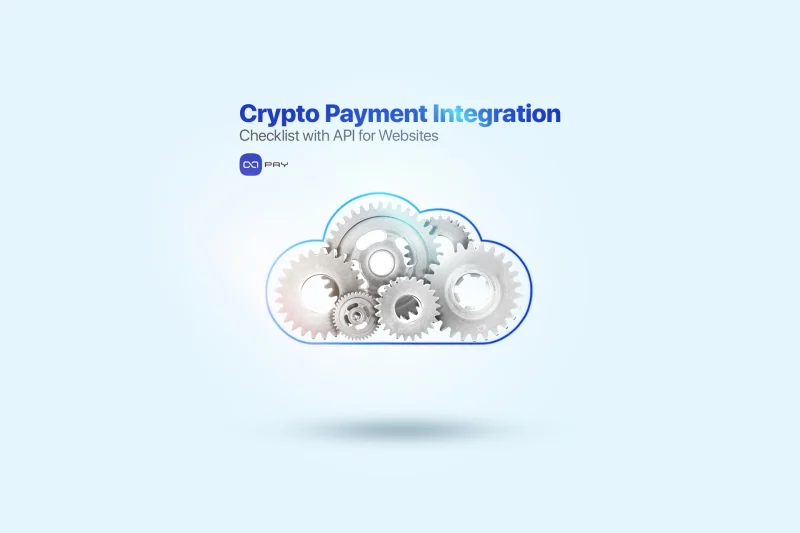
قائمة مراجعة تكامل الدفع بالعملات الرقمية مع واجهة برمجة التطبيقات للمواقع الإلكترونية

آلية تروس على شكل سحابة تمثل تكامل واجهة برمجة التطبيقات المشفرة

هل تخطط لتكامل الدفع بالعملات الرقمية لموقعك الإلكتروني باستخدام واجهة برمجة التطبيقات (API)؟
صُممت قائمة المراجعة هذه للشركات وفرق التطوير التي تهدف إلى تنفيذ تكامل الدفع بالعملات الرقمية باستخدام نظام OxaPay القائم على واجهة برمجة التطبيقات (API) بكفاءة. سواء كنت تبني حلاً مخصصًا أو تدير فريقًا من المطورين، فإن هذا الدليل التفصيلي يوضح جميع القرارات الرئيسية والتكوينات والتحقق من التشغيل، دون الغوص في التعليمات البرمجية. من إعداد حسابك وإنشاء مفاتيح واجهة برمجة التطبيقات إلى اختيار طريقة الدفع المناسبة وضمان الأمان المناسب، تساعدك قائمة المراجعة هذه على إطلاق وإدارة مدفوعات التشفير بثقة باستخدام أوكسا باي.


إنشاء حساب OxaPay الخاص بك وتأمينه

للبدء قبول المدفوعات بالعملات المشفرة, ، الخطوة الأولى هي إنشاء حساب OxaPay آمن لعملك أو فريقك. يتيح لك OxaPay البدء على الفور، دون الحاجة إلى "اعرف عميلك" أو "اعرف عميلك".

قائمة التحقق من الإعداد:

قم بالتسجيل في أوكساباي باستخدام البريد الإلكتروني، أو حساب جوجل، أو تيليجرام
تأكيد عنوان بريدك الإلكتروني لتفعيل وصولك إلى لوحة التحكم
تمكين المصادقة الثنائية (2FA) لحماية الحساب
التعيين الوصول المستند إلى الدور إلى أعضاء الفريق الآخرين إذا لزم الأمر
تأكد من تخزين بيانات اعتماد الحساب بشكل آمن وعدم مشاركتها

OxaPay: بوابة الدفع بالعملات الرقمية الخالية من "اعرف عميلك

إنشاء وتهيئة مفتاح واجهة برمجة التطبيقات للتاجر وتكوينه

لبدء تكامل الدفع بالعملات المشفرة عبر واجهة برمجة التطبيقات، يجب عليك أولاً إنشاء مفتاح واجهة برمجة تطبيقات التاجر. يحدد هذا المفتاح كيف يتصرف نظام الدفع الخاص بك، مثل العملات المقبولة والعلامة التجارية ومعالجة الفواتير وغير ذلك.

انتقل إلى واجهة برمجة تطبيقات التاجر في لوحة معلومات OxaPay الخاصة بك
(يمكنك استخدام أوكسا لايت للعثور بسرعة على صفحة واجهة برمجة تطبيقات التاجر)
أدخل اسم التاجر (3-30 حرفًا)
اختر ما يناسبك العملات المشفرة المقبولة (أو حدد الكل)

خيارات التكوين المتقدمة

قم بتمكين الميزات التي يحتاجها عملك:

مجموعة التغطية بأقل من قيمتها (على سبيل المثال قبول المدفوعات ذات النقصان الصغير - 0% إلى 60%)
تبديل الرسوم التي يدفعها الدافع إذا كنت تريد من العملاء دفع رسوم المعاملات
تشغيل التحويل التلقائي إلى USDT لتثبيت الأموال المستلمة تلقائيًا
يمكنك أيضاً تفعيل السحب التلقائي لإرسال الأموال مباشرةً إلى محفظتك
الدفع المختلط يسمح للعملاء بإكمال عملية الدفع باستخدام أكثر من عملة واحدة، قم بتمكين ذلك إذا كان نشاطك التجاري يدعم ذلك

إعدادات معاودة الاتصال والمراسلة

أضف عنوان URL لرد الاتصال لتلقي تحديثات حالة الدفع
(اختياري) إضافة الوصف لتمييز مفتاح API هذا داخليًا
تخصيص رسالة شكر وتقدير تظهر بعد الدفع
قم بتعيين عنوان URL للإرجاع حيث سيتم إعادة توجيه المستخدمين بعد النجاح

إعدادات العلامة التجارية والسمة

قم بتحميل شعار الوضع الخفيف و شعار الوضع الداكن
اختر وضع السمة الافتراضي (فاتح/داكن)
عرّف لون المنظمة (رمز اللون السداسي عشري)
وأخيراً، انقر فوق “إنشاء مفتاح واجهة برمجة تطبيقات التاجر”
احفظ مفتاحك بشكل آمن، ستستخدمه في كل مكالمة لواجهة برمجة التطبيقات أو إعداد مكون إضافي
Three arrows diverging to represent different crypto integration paths

اختر نهج تكامل الدفع بالعملات الرقمية الخاص بك

بمجرد أن يصبح مفتاح واجهة برمجة تطبيقات التاجر جاهزًا، فقد حان الوقت لتحديد كيفية استخدام موقع الويب الخاص بك لـ OxaPay لقبول مدفوعات التشفير. تقدم OxaPay مسارات تكامل متعددة لتناسب احتياجات العمل والبيئات التقنية المختلفة.


الخيار أ: تكامل المكوّن الإضافي (لا حاجة إلى ترميز)

الأفضل لمنصات مثل WooCommerce و WHMCS و Blesta و ClientExec و PrestaShop والمزيد.

ثبِّت مُكوِّن OxaPay الإضافي الرسمي لمنصتك
قم بلصق مفتاح واجهة برمجة تطبيقات التاجر في إعدادات المكوّن الإضافي
(اختياري) تمكين وضع الحماية للاختبار قبل بدء البث المباشر
الحفظ والاختبار بدفعة حقيقية أو اختبارية

🧩 استخدم هذه الطريقة إذا كنت تريد إعدادًا سريعًا بدون تعليمات برمجية مع وظائف كاملة.


الخيار (ب): التكامل المباشر لواجهة برمجة التطبيقات (تحكم مرن وكامل)

الأفضل لمتاجر التجارة الإلكترونية، والأسواق، ومنصات SaaS، وخدمات الاشتراك، وتطبيقات الأجهزة المحمولة، والمواقع الإلكترونية المخصصة التي تحتاج إلى تحكم كامل في واجهة برمجة تطبيقات الدفع بالعملات الرقمية الاندماج.

قم بتعيين هذا الإعداد لفريق التطوير الخاص بك
استخدم مفتاح واجهة برمجة تطبيقات التاجر لإنشاء الفواتير، وتلقي التحديثات في الوقت الفعلي، وإدارة تدفقات المدفوعات
اختر واحدة أو أكثر من هياكل الدفع المستندة إلى واجهة برمجة التطبيقات هذه:
الفاتورة: إنشاء رابط دفع آمن لكل طلب
العلامة البيضاء: التعامل مع الدفع داخل واجهة المستخدم الخاصة بك
العنوان الثابت: تعيين عناوين ثابتة للمستخدمين/العملاء

مثالية للشركات التي تتطلب:

تحكم كامل في واجهة المستخدم/تجربة المستخدم
منطق الدفع المخصص
التسعير متعدد العملات وعرض العملات الورقية
الفواتير المتكررة أو الخاصة بالمستخدم
تكامل سلس مع الأنظمة الداخلية

📘 للاطلاع على التفاصيل الفنية الكاملة، يرجى الرجوع إلى وثائق واجهة برمجة تطبيقات OxaPay.


إذا لم تكن بحاجة إلى تكامل كامل للدفع بالعملات المشفرة أو كنت تفضل عدم تضمين المدفوعات أو تطوير أي شيء، فيمكنك:

استخدم أوكسا باي رابط الدفع ميزة داخل لوحة القيادة
إنشاء رابط يدوياً وإرساله إلى عميلك
تتبع حالة الدفع في لوحة التحكم

ملاحظة: هذه الطريقة لا تتطلب استخدام واجهة برمجة التطبيقات وليست مثالية للأتمتة.


أيهما يجب أن تختار؟

نوع العملالنهج الموصى به
ووردبريس / WHMCS / CMSالمكوّن الإضافي
موقع إلكتروني/منصة مخصصةواجهة برمجة التطبيقات المباشرة
الفوترة اليدويةروابط الدفع بلوحة المعلومات

 بمجرد اختيار طريقتك، انتقل إلى الخطوة التالية لتنفيذ الطريقة التي اخترتها بشكل صحيح.


تحديد وتهيئة هيكل الدفع الخاص بك

والآن بعد أن اخترت طريقة التكامل (المكوّن الإضافي أو واجهة برمجة التطبيقات)، يجب عليك تحديد هيكل الدفع الذي يناسب عملك بشكل أفضل، وتهيئة إعداداته وفقاً لذلك. تلعب هذه الخطوة دورًا محوريًا في تكامل الدفع بالعملات الرقمية، لأنها تحدد كيفية التعامل مع المعاملات وتقديمها للمستخدمين.


الأفضل لـ متاجر التجارة الإلكترونية، ومقدمو الخدمات، والأسواق، والمدفوعات لمرة واحدة.

أنشئ فاتورة آمنة ومحددة زمنيًا مع رابط دفع لكل معاملة. تتم إعادة توجيه العملاء إلى صفحة دفع مستضافة من OxaPay ذات علامة تجارية تعرض المبلغ والعملة ورمز الاستجابة السريعة ومؤقت العد التنازلي.

قائمة التحقق من التكوين:

عرض مبلغ الفاتورة في العملة الورقية (على سبيل المثال، الدولار الأمريكي واليورو)
مجموعة invoice expiration time (15–2880 minutes)
Define underpaid tolerance (0–60%)
Let the payer cover the network fee by activating the “الرسوم التي يدفعها الدافع” option
To avoid holding balances on OxaPay, enable auto-withdrawal to your wallet
Stabilize incoming payments by turning on auto-conversion to USDT
Mixed payments allow users to finish a payment with another coin , you can enable this feature if needed
قم بتعيين callback URL لتلقي تحديثات حالة الدفع
Add a return URL to redirect customers after payment
Customize metadata: customer email, order ID, invoice description, thank-you message

How to generate crypto invoices

B. White-Label Payments (For fully branded checkouts)

الأفضل لـ Web apps, mobile apps, SaaS platforms, or platforms that need embedded crypto payments in their own UI.

This method gives you complete control over the user experience. You fetch payment details (amount, address, coin, QR) via API and display them in your own design, while OxaPay handles the backend.

قائمة التحقق من التكوين:

اختر coin and blockchain network for each payment
Display amount in crypto أو fiat, depending on your UX
Set the payment expiration time
Enable or disable:
Fee paid by payer
Underpaid coverage
Auto-withdrawal
Auto-convert to USDT
Set your callback URL for receiving real-time payment status
Add internal fields: customer email, order ID, invoice description
Show the returned QR code and payment address in your interface

How to Integrate a White Label Crypto Payment Gateway

C. Static Address Payments (For recurring or user-based models)

الأفضل لـ Crypto exchanges, iGaming platforms, subscription services, and any case where each user needs a permanent address.

You assign a fixed crypto address to each user or product. Users can make payments anytime, and you track them via dashboard or webhook.

قائمة التحقق من التكوين:

Select the coin and network for each static address
Assign a unique address per user or per purpose
Enable:
Auto-withdrawal
Auto-convert to USDT
Attach a callback URL to monitor activity on that address
Add metadata: user email, internal ID, or custom tag
Monitor balances and deposits manually or via webhook

After selecting and configuring your structure, you’re ready to test the flow and activate your integration.

Integrating Static Crypto Addresses for Businesses


إعداد رد الاتصال والتحقق من صحته (خطاف الويب)

Once your payment configuration is ready, it’s time to ensure your system can receive real-time updates from OxaPay, such as when a payment is completed, underpaid, expired, or confirmed. This is done using a callback URL, also known as a webhook.


Why This Step Matters

Without a valid callback, your platform won’t know when a user has paid. This could lead to:

Unconfirmed orders or services
Manual monitoring of transactions
Delayed user access or fulfillment

A working callback ensures automatic updates and order status changes.


Callback Setup Checklist:

عرّف callback URL (e.g., yourdomain.com/payment-status)
Make sure your backend system is ready to receive POST requests from OxaPay
Ensure your system can:
Parse the received payment data
Update the correct order or user record
Respond with 200 OK to confirm receipt
Assign someone from your dev team to test the callback with sandbox mode
Use track_id أو order_id in your own database to match transactions
Keep a log of received webhook events for auditing or troubleshooting
Review webhook signature (optional, for added security)

Once your callback is functional and verified, you’ll have full visibility and control over incoming payments, without needing to manually check anything.

Set Up OxaPay Webhooks for Payments in Real Time


اختبر تدفق الدفع بأكمله باستخدام وضع الحماية

Before going live, it’s essential to test every part of your crypto payment integration in a safe environment. OxaPay provides a sandbox mode that simulates real payment behavior, without sending real crypto.

This helps your team verify that everything works as expected, from invoice creation to callback handling.


What You Can Test in Sandbox

Invoice generation and payment page display
Payment expiration and underpayment behavior
Auto-withdrawal and USDT conversion settings
Callback (webhook) delivery and response logic
Return URL redirection after payment
Handling of mixed payments (if enabled)
Status updates for: paid, confirming, expired, underpaid

Sandbox Testing Checklist

Activate وضع الحماية in your API or plugin settings
Perform at least one test for each type of payment structure you use:
Invoice-based
White-label
Static address
Confirm that:
Webhooks are received and handled correctly
UI behaves as expected at each stage
Your system updates order/user statuses accurately
Log all test transactions and share results with relevant teams
Review errors or mismatches and fix them before going live

Once all tests pass successfully, you can switch your environment to live mode and confidently begin accepting real crypto payments.
Gear and shield representing security in crypto integration

تطبيق إعدادات الأمان النهائية وضوابط الوصول

Crypto payments involve real assets, so your crypto payment integration must follow best practices for access control, key protection, and transaction authorization. OxaPay gives you all the tools needed to secure your integration.


Security Checklist

Enable Two-Factor Authentication (2FA) for all accounts with access to the dashboard
Restrict API usage by IP address to prevent unauthorized external calls
Use separate API keys for:
Merchant (payment generation)
Payout (withdrawal actions)
Never share your API keys in public repositories or frontend code
Store keys securely in environment variables or a secrets manager
If using auto-withdrawal, confirm the wallet address is correct and under your control
Periodically rotate API keys and update them across your system
Review and limit dashboard user roles and permissions
Keep an internal log of who has access to keys and where they are used

Once your security setup is complete, you’re ready to switch to live mode and begin processing real payments with confidence.

Payment API Security: Best Practices for API Key Security


مراقبة المعاملات وتحليل أداء الدفع

Once your system is live, continuous monitoring and visibility over your crypto payments are key to ensuring operational success, identifying issues, and supporting users effectively.

OxaPay provides real-time dashboards and filtering tools to help you track every transaction and analyze trends.


Monitoring & Reporting Checklist

Regularly check the OxaPay dashboard to view payment statuses and trends
Use filters to search by:
Coin, network, or currency
Date range or specific time periods
Invoice ID, user ID, or order ID
Status (paid, expired, underpaid, confirming, canceled)
Monitor key metrics such as:
Volume per coin or currency
Success rate of invoices
Payment completion times
Underpaid or expired frequency
Export reports regularly for:
Financial and accounting review
Customer support and reconciliation
Business intelligence and KPI analysis
Ensure the finance or operations team has access to view/export data
Track system behavior after updates to the API or plugin

With real-time access to accurate transaction data, your team can react quickly, resolve issues fast, and make informed decisions to optimize performance.


ابدأ البث المباشر وانتهي من تكامل الدفع بالعملات الرقمية

After testing, configuration, and internal approval, you’re ready to switch from sandbox mode to live and begin processing actual crypto transactions on your website or platform.


Go-Live Checklist

Switch sandbox mode to live mode in your API calls or plugin settings
Double-check your live API key is correctly configured
Perform one small real transaction to verify full flow
Ensure all callbacks, order status updates, و notifications work as expected
Confirm your wallet address is correct (for withdrawals)
Inform your support and finance teams that live payments have begun
Monitor the first few payments closely for any unexpected issues
Update your documentation and internal wiki to reflect the live environment
(Optional) Announce crypto payment availability to your users or customers

Once live, your business is officially ready to accept crypto payments via OxaPay, with flexibility, full control, and no KYC barriers.


المراجعة النهائية لتكامل الدفع بالعملات المشفرة

A successful crypto payment integration with أوكسا باي through API is more than just a technical setup, it’s a strategic upgrade. It gives your business full control, real-time visibility, and seamless scalability without KYC/KYB delays. By following this checklist, you ensure a secure, customizable, and automation-friendly payment flow tailored to the way your platform operates.


Ready to Launch Your Crypto Payment System?

Start building your crypto-powered payment infrastructure with confidence:
🔹 Create your free OxaPay account
🔹 Explore the full API documentation
🔹 Need a faster start? Browse our payment plugin integrations

No paperwork, no delays, just seamless, secure, and scalable crypto payments for your business.
شارك هذه المقالة
عنوان URL قابل للمشاركة
المنشور السابق

فهم الفرق بين رابط الفاتورة ورابط الدفع

المنشور التالي

Accepting Crypto Payments In-Store with OxaPay Merchant POS

اقرأ التالي