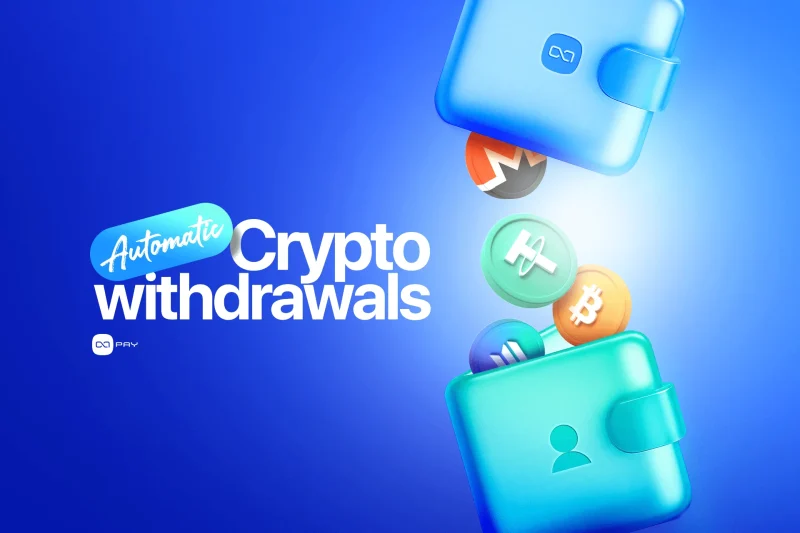
Receiving crypto payments is only the first part of managing merchant funds. A business must also decide where those assets should remain after payment, who should control them, how often they should move, and how each transfer will affect costs and financial records. Automatic crypto withdrawals let merchants send eligible payments to a predefined external wallet without initiating each transfer manually.
Used correctly, this can simplify treasury operations. Used without clear wallet, network, and reconciliation rules, it can create avoidable fees and operational risk.
What Are Automatic Crypto Withdrawals?
An automatic crypto withdrawal moves received merchant funds from a payment gateway to a predefined external wallet after the payment reaches the required state.
With OxaPay, merchants can enable Auto Withdrawal for a Merchant API Key or specify the auto_withdrawal option when generating supported payment requests. When enabled, the received currency is sent to the corresponding address saved in the merchant’s Address List. When it is not enabled, the amount is credited to the merchant’s OxaPay balance.
See OxaPay Generate Invoice documentation.
This feature separates payment acceptance from asset custody:
- The customer completes the payment through OxaPay.
- OxaPay detects and processes the payment.
- After the payment is finalized, the eligible asset moves to the merchant’s designated external wallet.
- The merchant controls the asset through that wallet’s keys and security model.
Auto Withdrawal does not change the cryptocurrency received. If a customer pays in BTC, the withdrawal remains BTC unless a separate conversion rule applies.
Auto Withdrawal Is Not Auto Convert
Auto Withdrawal and Auto Convert solve different treasury problems.
| Feature | What it changes | Main purpose |
|---|---|---|
| Auto Withdrawal | Where the asset is held | Move received funds to an external merchant wallet |
| Auto Convert to USDT | Which asset the merchant holds | Convert eligible payments into USDT |
| Swap | One existing balance into another asset | Perform a selected asset conversion |
| Payout | Send funds to a chosen recipient | Execute an outbound business payment |
OxaPay’s Auto Convert option can convert eligible incoming payments into USDT, while Auto Withdrawal sends the resulting received currency to the address configured by the merchant. OxaPay’s Payout API is a separate service for initiating transfers to specified recipients.
A merchant can therefore make two separate decisions:
- Should the payment remain in the original asset or be converted?
- Should the resulting asset remain in OxaPay or move to an external wallet?
For a detailed conversion framework, see Auto Convert to USDT: A Practical Guide for Merchants.
Why Merchants Use Auto Withdrawal
Maintain Direct Wallet Control
Some businesses prefer to move received assets into wallets controlled by their own treasury team.
This may support:
- internal custody policies;
- multisignature approval arrangements;
- cold-storage strategies;
- separation between payment processing and long-term holdings;
- access to external exchanges, liquidity providers, or treasury systems.
Moving funds to an external wallet transfers more responsibility to the merchant. The business must secure private keys, backups, recovery procedures, access permissions, and transaction approvals.
NIST’s key-management guidance emphasizes that organizations should define policies for the entire cryptographic-key lifecycle, including creation, storage, use, backup, recovery, and destruction.
Review NIST key-management guidance.
Reduce Manual Treasury Tasks
Without automation, an employee may need to monitor the merchant balance, select an asset and network, copy the destination address, initiate a transfer, approve the withdrawal, record the transaction, and repeat the process for future payments.
As a result, this manual process can become repetitive as payment volume grows. Auto Withdrawal removes the need to initiate each eligible transfer manually. Therefore, it can be useful for merchants that receive payments throughout the day and already know where each asset should go.
Separate Payment Processing from Treasury Storage
A payment gateway processes and tracks customer payments. Meanwhile, a treasury wallet stores or deploys the resulting assets.
Keeping these functions separate can create clearer operational boundaries:
- OxaPay handles payment creation, status tracking, and payment records.
- In contrast, the external wallet handles longer-term custody or downstream treasury activity.
- In addition, Finance retains records linking the original payment to the withdrawal.
However, this separation does not automatically make the system safer. Instead, it changes where risk and responsibility sit.
When Auto Withdrawal Makes Sense
Auto Withdrawal is most useful when the business:
- has an approved external wallet for every accepted asset and network;
- wants funds moved after each eligible payment;
- already maintains strong wallet security and recovery procedures;
- needs direct access to received assets outside the payment gateway;
- sends received assets into a separate treasury, exchange, or settlement process;
- can absorb the blockchain cost of frequent external transfers;
- has records that connect each payment with its resulting withdrawal.
For example, consider a digital service receiving USDT on Tron. The company pays contractors from a treasury wallet and does not want operational funds to accumulate in its payment-gateway balance. In this case, automatic withdrawal can reduce manual balance checks and move each eligible receipt into the company’s existing treasury process.
However, the benefit depends on the merchant’s transaction size, network costs, and treasury policy. Therefore, Auto Withdrawal is most effective when the destination wallet and post-payment process are already clearly defined.
When Auto Withdrawal May Not Be the Best Default
Automatic withdrawal is not necessary for every merchant.
A business may prefer to keep funds in its OxaPay balance when:
- individual payments are small;
- network transfer fees are material relative to payment value;
- the business wants to consolidate funds before moving them;
- received assets will be swapped or paid out through OxaPay;
- the merchant lacks a secure external-wallet process;
- Finance cannot yet reconcile frequent withdrawals;
- the destination wallet or network may change;
- the business needs internal liquidity for refunds, payouts, or other operations.
A merchant processing many small payments should compare per-payment withdrawals with balance consolidation. Moving every small payment externally can create more blockchain transactions and higher total transfer costs.
Understand the Network-Fee Trade-Off
Auto Withdrawal creates an external blockchain transfer. That transfer may require a network-specific minimum amount and fee.
OxaPay states that internal asset transfers are free, while blockchain transfers depend on network fees. Its pricing page publishes current minimum transfer amounts and transfer fees by asset and network. These values can change, so merchants should verify current pricing instead of hard-coding assumptions into their treasury policy.
Review OxaPay pricing and transfer conditions.
Blockchain fees do not always increase in direct proportion to the value transferred. Ethereum fees depend on gas usage and network demand, while Bitcoin transaction fees depend largely on transaction size and demand for block space.
Learn how Ethereum gas fees work.
This creates a practical trade-off:
More frequent withdrawals provide faster external custody, but may increase transfer count and total network costs.
Auto Withdrawal should therefore be evaluated using the merchant’s average payment size, accepted networks, volume, wallet policy, and transfer costs.
For the wider cost framework, see The Total Cost of Crypto Payment Infrastructure.
Choose the Destination Wallet Carefully
The destination address is one of the most important parts of the configuration.
Before enabling Auto Withdrawal, confirm:
- the wallet supports the exact asset;
- the wallet supports the selected network;
- the address was copied correctly;
- any required destination tag or memo is handled correctly;
- the organization controls the wallet;
- the wallet can receive repeated deposits;
- Finance knows how to identify incoming withdrawals;
- recovery and access procedures have been tested.
The same asset may exist on multiple networks. USDT sent through Tron is not the same transfer route as USDT sent through Ethereum, BNB Smart Chain, Solana, Polygon, or TON.
Do not treat a visually similar address as proof of network compatibility.
OxaPay explains how merchants can receive funds in their own wallets through Auto Withdrawal in its Help Center.
See the OxaPay Auto Withdrawal help article.
Protect Address Changes
A wrong withdrawal address can direct funds away from the intended treasury process.
Merchants should treat address changes as sensitive financial operations.
A reasonable internal policy may require:
- named employees authorized to change addresses;
- independent review of the asset, network, and address;
- confirmation through a second communication channel;
- a low-value test after adding or changing an address;
- a record of who approved the change;
- notification to Finance and Security;
- immediate review after the first automatic withdrawal.
Avoid changing an address during an incident or high-volume payment period unless necessary. If a destination wallet is compromised or unavailable, disable Auto Withdrawal until a verified replacement is ready.
How to Enable Auto Withdrawal in OxaPay
A practical setup sequence is:
- Sign in to the OxaPay dashboard.
- Open the Address List in account settings.
- Add and verify the external wallet addresses for the required assets and networks.
- Open Merchant Service.
- Create a new Merchant API Key or edit the relevant existing key.
- Enable Auto Withdrawal.
- Review accepted currencies and other advanced options.
- Save the configuration.
- Complete a limited test payment.
- Verify the external receipt and OxaPay payment record before expanding usage.
OxaPay’s Generate Invoice API also supports an auto_withdrawal parameter. A value of 1 instructs the system to send the received currency to the configured address, while 0 credits the amount to the OxaPay balance.
See Generate Invoice API documentation.
Test the Complete Flow
Do not consider the feature tested simply because the customer payment succeeds.
A complete test should confirm:
- the invoice or payment request was created correctly;
- the customer paid using the intended asset and network;
- the payment reached the required final state;
- the order or account was updated;
- Auto Withdrawal was processed;
- the external wallet received the correct asset;
- the destination network was correct;
- the expected transfer cost was applied;
- the payment and withdrawal can be connected in internal records;
- Support and Finance can investigate the transfer later.
OxaPay’s Payment Information and Payment History responses include an auto_withdrawal object with a processed state, allowing merchants to inspect whether the automatic-withdrawal step was processed.
Review Payment Information documentation.
Begin with a low-value controlled payment. Do not enable the feature across all production traffic before verifying the first end-to-end result.
Auto Withdrawal and Reconciliation
Automatic withdrawals reduce manual execution, but they do not eliminate reconciliation.
They add another record to the payment trail:
Customer order → Payment → OxaPay payment record → Automatic withdrawal → External wallet receipt
Finance should preserve:
- Order ID;
- OxaPay Track ID;
- original payment asset and amount;
- payment transaction hash;
- payment status;
- withdrawal asset and amount;
- destination wallet;
- destination network;
- withdrawal transaction reference;
- network fee;
- payment and withdrawal timestamps.
The original customer payment and the later external transfer are different events.
The customer payment represents a commercial receipt. The automatic withdrawal represents movement of a business asset from one location to another. Treating the withdrawal as new revenue would duplicate the financial event.
For the wider accounting treatment, see Crypto Accounting for Businesses: A Practical Workflow.
The matching and review process is covered in Crypto Payment Reconciliation for Businesses.
Should Merchants Keep a Balance in OxaPay?
The correct balance policy depends on how the business uses the account.
Keeping no balance may reduce funds held inside the payment account, but it may also leave less operational liquidity for:
- refunds;
- payouts;
- swaps;
- internal transfers;
- urgent customer resolutions;
- network fees or minimum transfer requirements.
Keeping too much balance may conflict with the merchant’s external custody or treasury policy.
A practical policy can define:
- which assets should be withdrawn automatically;
- which assets should remain available;
- whether Auto Convert happens before withdrawal;
- the minimum operational balance;
- who can disable or change the rule;
- how often Finance reviews the configuration.
Common Auto Withdrawal Mistakes
Assuming It Reduces Price Volatility
Moving BTC from OxaPay to an external BTC wallet does not reduce BTC price exposure. Auto Convert changes the asset; Auto Withdrawal changes its location.
Ignoring Blockchain Fees
Frequent transfers can create significant costs, particularly when individual payments are small or the chosen network is expensive.
Using the Wrong Network
The asset name alone is not enough. The configured address must support the specific network used for the withdrawal.
Skipping the Test Transfer
A low-value controlled test can reveal address, network, reporting, and reconciliation problems before larger payments move.
Treating the External Wallet as Automatically Safer
Security depends on how keys, backups, approvals, devices, and recovery processes are managed.
Losing the Connection to the Original Payment
Finance and Support should be able to trace the withdrawal back to the Order ID, Track ID, payment, and customer record.
Confusing Auto Withdrawal with Payouts
Auto Withdrawal routes eligible merchant receipts to a configured wallet. Payouts are outbound transfers initiated for recipients, suppliers, customers, or platform users.

Troubleshooting Automatic Withdrawals
If a payment was completed but the expected withdrawal is not visible, check the issue in this order:
- Confirm that Auto Withdrawal was enabled for the relevant Merchant API Key or request.
- Verify that the payment reached the required final state.
- Review Payment Information using the Track ID.
- Check the
auto_withdrawal.processedresult. - Confirm that the correct asset and network address exists in the Address List.
- Review current minimum transfer and fee conditions.
- Search the external wallet and relevant block explorer.
- Confirm that the wallet supports the exact asset and network.
- Preserve the Order ID, Track ID, transaction references, amount, asset, network, and timestamps.
- Escalate the complete case to OxaPay Support when the records cannot explain the result.
Do not recreate the payment, change the address repeatedly, or ask the customer to pay again while the first payment and withdrawal are being investigated.
Build an Auto Withdrawal Policy
A useful merchant policy should answer:
- Why does the business use automatic withdrawals?
- Which payment flows and assets are eligible?
- Which wallet and network should receive each asset?
- Who owns the external wallet?
- Who can add or modify addresses?
- Is independent approval required?
- How will transfer fees be reviewed?
- Does Auto Convert happen before withdrawal?
- What operational balance should remain available?
- How will payments and withdrawals be reconciled?
- When should Auto Withdrawal be disabled?
- How will a compromised or unavailable wallet be handled?
This turns the feature from a dashboard setting into a controlled treasury process.
Automate Withdrawals Without Losing Control
Automatic crypto withdrawals can reduce repetitive treasury work and move merchant funds into an external wallet without requiring a manual transfer after every payment.
A strong implementation should:
- define why the funds need to move;
- select the correct wallet and network;
- understand blockchain fees and minimums;
- protect address changes;
- begin with a low-value test;
- preserve the link between payment and withdrawal;
- maintain enough operational liquidity;
- review the configuration as volume and treasury needs change.
OxaPay crypto gateway gives merchants the ability to automate this movement through Merchant API Key settings and payment-level configuration.
Use Auto Withdrawal when external custody fits your treasury strategy, not simply because automatic movement is available. With clear wallet controls, cost awareness, and reliable records, it can simplify post-payment operations without weakening financial oversight.